Try another portrait-led AI video idea
Explore a different prepared video scene that starts with a portrait.

Loading history…
Create a Window Dance AI scene from one clear adult portrait. The prepared eight-second direction places that person in a warm nighttime window: a small dance becomes a pause, an outward glance and a curtain-drawn finish. Optional scene notes can stay blank. Check live credits and review the person, window edges and fabric coverage before downloading.
Upload one image of one adult. Choose a clear, well-lit portrait where the face and hair are easy to see. A waist-up or full-body image can help when preserving the outfit is important. The photo supplies the person's appearance, face, hair, and clothing; you do not need to upload a second photo or film a video. The prepared scene places the person in an imagined nighttime apartment, so do not expect the original photo background to remain.
The current request uses Seedance 2.0 and an eight-second duration. Available aspect ratios, resolution, audio choices, and model access can depend on your account and the options shown. Check the current settings and Required Credits quote before selecting Generate. Credit requirements are live, so do not assume a fixed price or free allowance.
The complete scene instructions are prepared already. Optional scene or style notes may be left empty; use them only for extra preferences that fit the portrait-led window story. They are not a second prompt that replaces the prepared sequence. The requested actions guide the result, but do not guarantee exact movement, timing, or likeness.
After generation, check the status in History and open the ready result there to review and download it. Watch the full eight seconds before deciding it is ready to share. Check face, hair, and outfit consistency; confirm there is one person; inspect whether the window edge stays stable; and look for readable, restrained gestures, a clear sudden pause, hands contacting the curtain fabric, and complete final curtain coverage. If audio or captions are available, review them separately rather than assuming a particular song or automatic match.
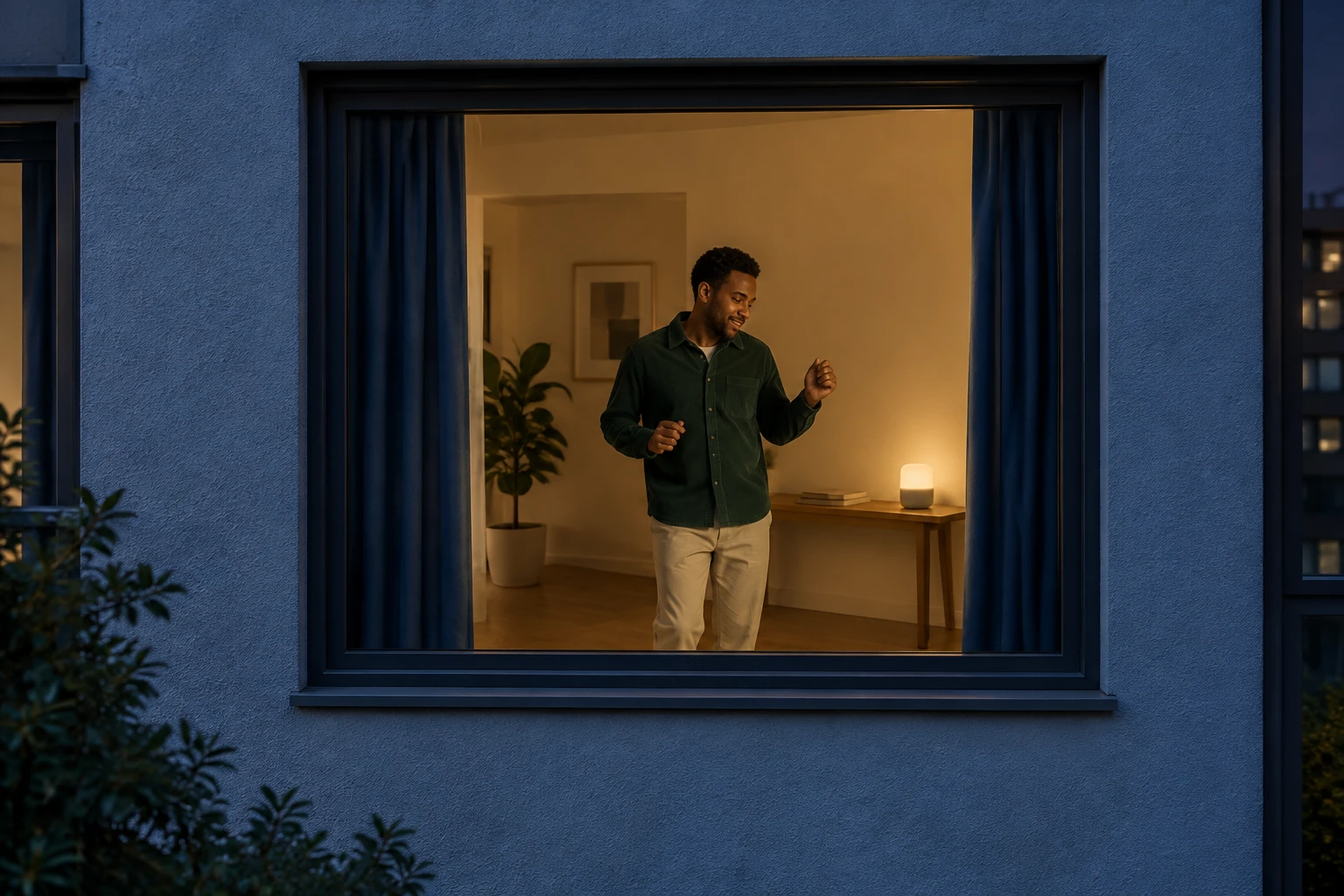
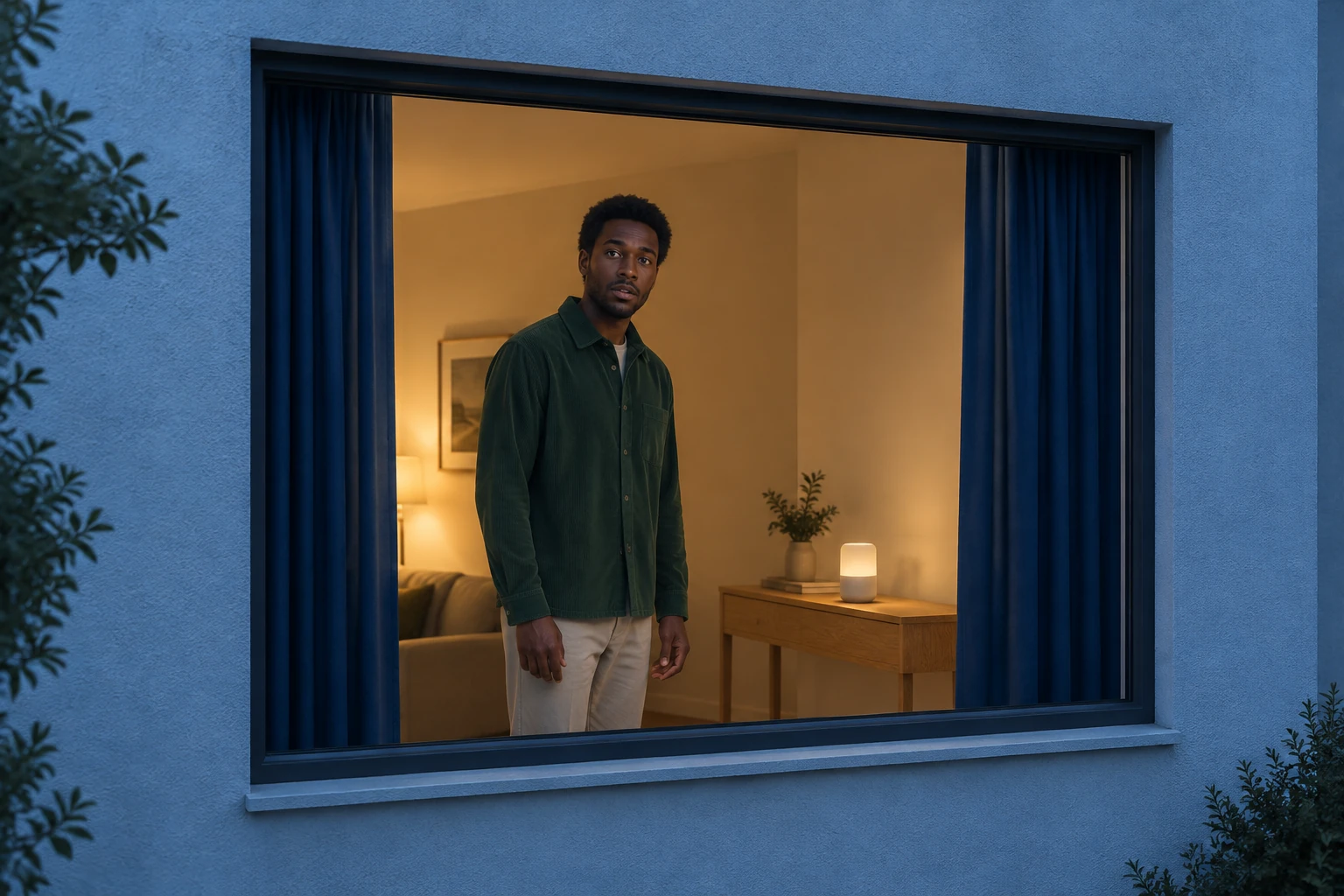
This is a compact apartment-window story, not a generic dance tutorial. The portrait remains the focus while a gentle approach from outside establishes the setting. The person makes a small carefree dance, catches sight of the camera, pauses to meet its gaze, and closes the heavy curtains. The requested arc is designed to fit one eight-second scene, but the result may vary in timing and execution. The visual distinction matters: the person should read clearly against the interior, the charcoal window edge should remain separate from their silhouette, and the curtains should visibly cover the opening at the end. The setting is imaginary: cool pale-blue stucco outside, a warm uncluttered room inside, a narrow oak console, and a small plain glowing speaker. A broad single-pane window has no crossbar at face height. These are scene directions, not a promise that every generated detail will be exact.
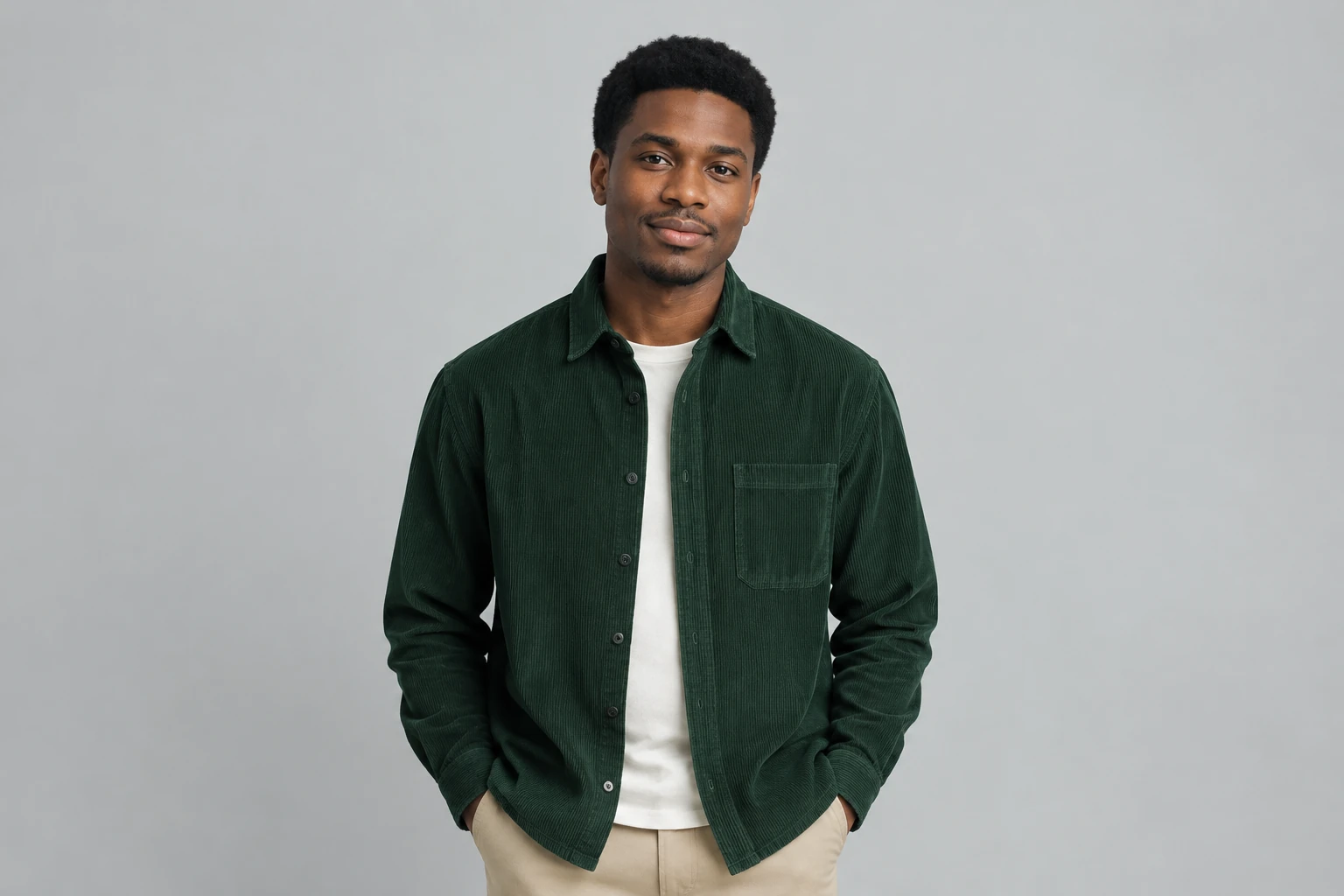
Select one clear image of one adult. A portrait with a visible face helps the generator use the uploaded person's appearance; include more of the body if the outfit is important to the scene. The image provides the person’s appearance, face, hair, and outfit. This page uses a single photo, not an uploaded motion-control video or a locked built-in reference video. The prepared directions place the person in an imagined night apartment, so the original background is not something to rely on keeping. For example, an illustrated guide image might show a fictional adult man with dark skin and short natural black hair, wearing a forest-green corduroy overshirt and beige trousers. That example describes the illustration only: the generated video should use the actual adult in the uploaded portrait, not substitute this fictional person.
The current request is for Seedance 2.0 at eight seconds, but the controls and account access determine which aspect, resolution, and audio choices are available. Review the displayed options and live Required Credits quote before Generate; do not assume a fixed credit price, trial, free allowance, or wait time. Generation status and a ready result are available through History, where you can review and download. Look at the full sequence rather than judging only its opening frame. Check that the same person's face, hair, and outfit remain recognizable, that no extra person appears, and that the window geometry does not wobble or merge with the figure. The dance should stay restrained enough to read, the stop and eye contact should be noticeable, and the hands should meet the curtain fabric as it closes. Confirm the final curtains cover the opening completely. Requested actions and likeness can vary.
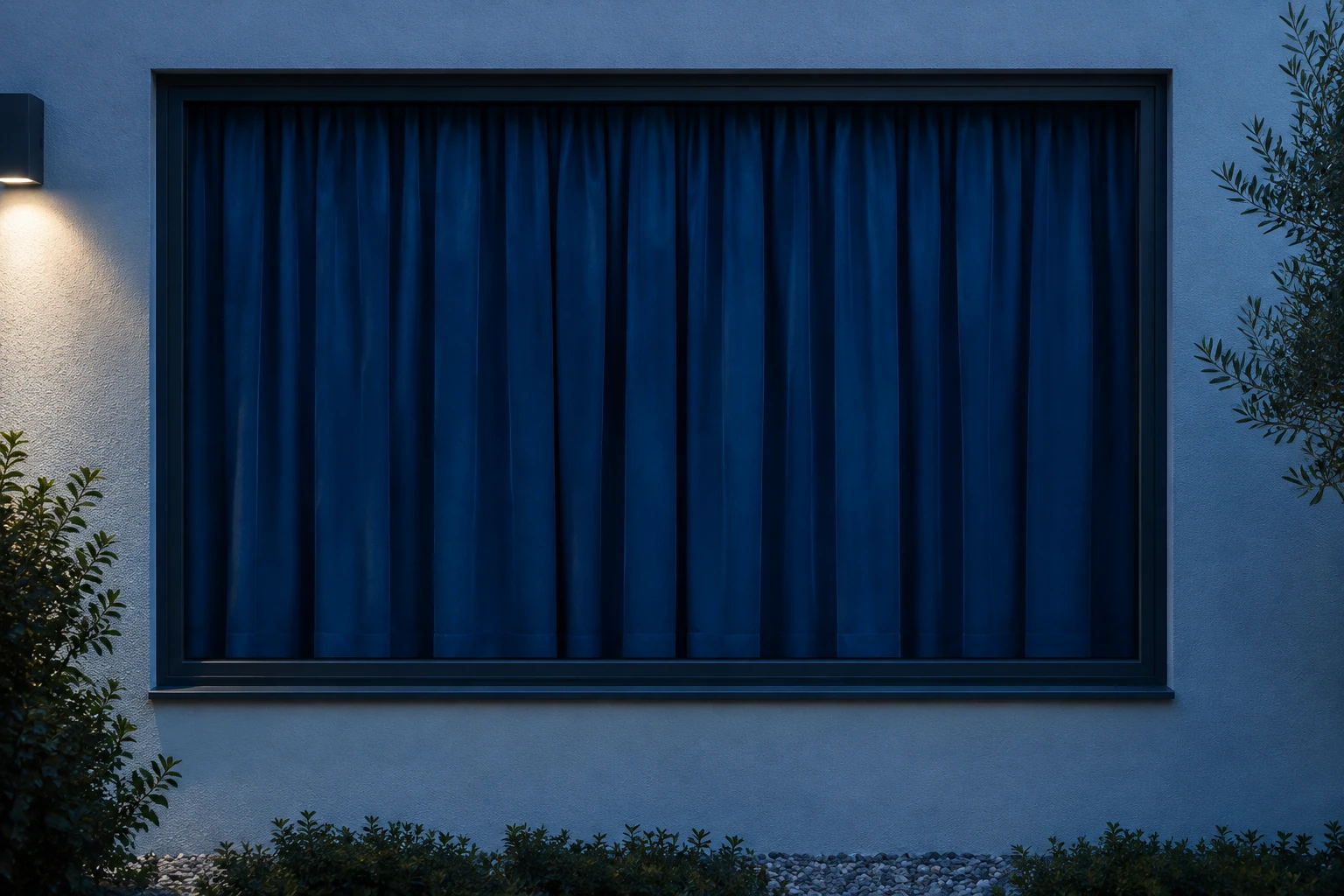
The scene instructions are already prepared; optional notes can be left blank. If you add a preference, keep it compatible with the one-person portrait, nighttime apartment, outside approach, short dance, pause, and curtain close. Notes express a request rather than guaranteeing particular choreography or exact timing. Background music or captions can be added separately where supported. The guide does not promise a specific song, automatic music matching, lip sync, or a particular performer identity. Before sharing, watch the complete clip with any added audio or captions and make sure the person, window edge, and opaque curtain closure still read clearly. Use the finished result from History when it is ready.
It aims to show one portrait-led nighttime apartment story: an outside camera approach, a small carefree dance, a pause with a look toward the camera, and heavy opaque curtains closing. The requested duration is eight seconds, but exact timing and choreography can vary.
No. Upload one clear portrait of one adult. You do not need a second photo or an uploaded video. The portrait supplies the person's appearance, face, hair, and outfit; the prepared scene places them in an imagined apartment rather than promising to preserve the photo background.
The current request is an eight-second Seedance 2.0 scene. Model access and available aspect, resolution, or audio settings depend on the options and account access shown to you. Check the live Required Credits quote before Generate; no fixed price or free allowance is promised.
Check History for generation status. When the result is ready, open it there to review and download. No particular waiting time is guaranteed.
Yes. The complete scene instructions are prepared, so optional scene or style notes may be empty. The dance, pause, eye contact, and curtain close are requested actions, not guaranteed exact choreography, timing, or fidelity.
Background music or captions can be added separately where available; a specific song, automatic matching, and lip sync are not promised. Review the whole clip for face, hair, and outfit consistency, one-person count, stable window edges, a readable pause, hands contacting the curtain, and complete final curtain coverage.
Explore a different prepared video scene that starts with a portrait.
Open the background-removal guide for a separate image-editing task.
Review the available pricing information before starting a generation.
bg-remover.app · Updated